
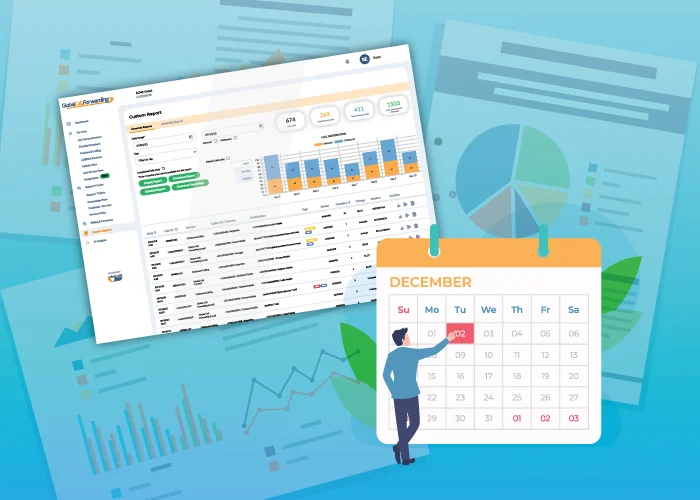
The holiday season has always been one of the most intense times of the year for global businesses. Between unpredictable call spikes, shifting team schedules, and higher sales activity, the weeks from November through January can put real pressure on your customer experience. But with the right data and the right reporting framework, you can turn the holiday rush into a period of efficiency, insight, and improved customer satisfaction.
Holiday season reporting helps businesses understand how customer behavior changes during the holidays, which regions need additional support, when call volumes spike, and how well your teams keep up with demand.
With Global Call Forwarding, you can use call analytics, AI Call Insights, phone number tagging, and custom reports to build a clear, structured view of your busiest months and make proactive adjustments that ensure a smooth holiday experience for your customers and your teams.
Below, we break down how to build a holiday reporting strategy and what to measure, so you head into the season with confidence:
Why Holiday Season Reporting Matters
During the holidays, customers shop more, travel more, and require more support. That change in behavior often translates into:
- Higher inbound call volume
- Longer call duration
- More escalations and time-sensitive requests
- Greater regional variation in call patterns
- Increased demand for after-hours and weekend coverage
These aren’t normal fluctuations; they’re seasonal trends that businesses can predict when they’re supported by good reporting.
A holiday dashboard turns reactive support into proactive planning, giving your business greater resilience, agility, and customer satisfaction during its most demanding season.
By closely tracking key call data points throughout the season, managers can:
- Shift staffing quickly during high-traffic periods
- Reassign routing or activate backup flows when a team is overloaded
- Update IVR menus based on common issues found in transcripts and summaries
- Support regional teams more effectively during timezone-specific spikes
- Identify and resolve friction points before they turn into customer dissatisfaction
- Track campaign performance and adapt promotions in real time
What Visibility Do You Get with Holiday Call Reports?
When set up correctly and with the right tools, holiday call reporting gives you visibility into:
- When your call traffic is highest
- Which regions generate the most support requests
- How sentiment shifts during peak periods
- What caused missed calls last year
- How well your agents, routing plans, and IVR performed
- Which holiday campaigns generated real call-driven revenue
By combining AI Call Insights, advanced call analytics, and number tagging, you can understand not only how many calls you received, but why customers were reaching out, what they needed, and how effectively your team responded.
What to Include in a Holiday Reporting Framework
Below we highlight the core call metrics and data that businesses can use to prepare for the holidays and the seasonal demands that come with it. This data can help support, sales, and operations teams make informed decisions before and during the holiday rush.
Look out for our How to resources throughout this guide to see how to set this up with Global Call Forwarding.
1. Call Volume Overview (Nov–Jan)
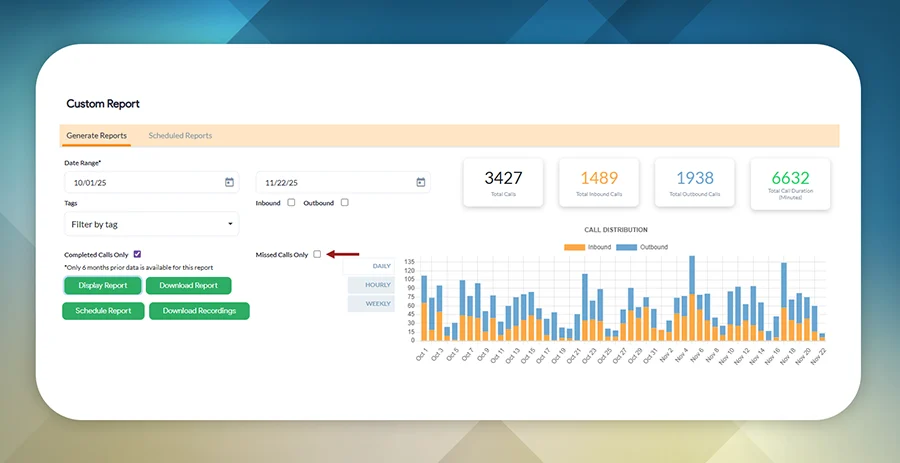
Your holiday reporting should begin with a top-level view of call activity during the busiest months. This establishes a baseline for understanding demand and helps you determine whether your system and staffing kept up or if adjustments are required this year.
Reviewing multiple seasons in a row also reveals patterns: which days consistently spike, which promotions drive traffic, and which weeks require extended coverage.
Start with a macro view. Identify:
- Total inbound calls
- Answered vs missed calls
- Abandoned call trends
- Volume changes vs last year’s holiday season
If your missed calls rate climbed during past peak days, you may need overflow routing, additional agents, or time-based routing. If your total volume shifted earlier or later than expected, adjust your staffing and campaign timing for this year.
GCF features that help:
Custom reporting, scheduled reports, time-based routing, redundant routing
2. Regional Breakdown
Holiday behavior varies dramatically by market. Retail and travel-heavy regions may experience surges weeks before others, while some time zones show concentrated demand after business hours. A regional breakdown lets you understand not just how much traffic you received, but where and when customers needed you.
Analyze holiday traffic by region or local phone numbers:
- APAC early-morning spikes
- EMEA midday bursts
- Americas evening surges
Adding phone number tags for regional lines makes it easy to pinpoint which markets drove demand and when.
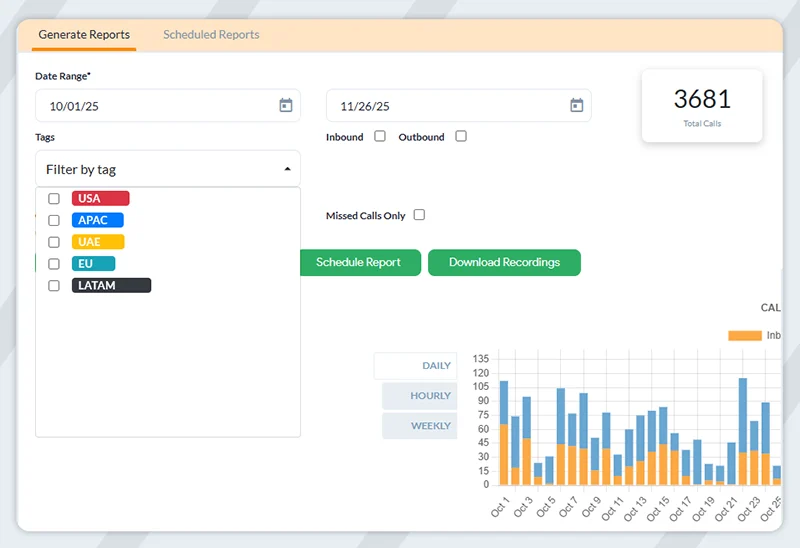
If APAC saw unexpected overnight spikes last year, consider adding local ring groups or routing after-hours calls to agents in compatible time zones. Strong regional data also helps validate whether you need additional local numbers or expanded Local 2-Way Voice coverage in high-demand markets.
GCF features that help:
Phone number tags, Local 2-Way Voice, Regional Analytics, advanced routing
3. Customer Experience & Sentiment
The holidays are emotionally charged; customer expectations are higher, patience is lower, and issues are often urgent. Understanding the quality of interactions (not just the quantity) is essential for maintaining customer trust. Track:
- Call duration
- Call abandonment rates
- Sentiment scores
- Repeated customer issues
- Common keywords that come up in conversations
AI Call Insights can reveal common holiday frustrations, shipping-related inquiries, billing issues, or seasonal demand patterns.
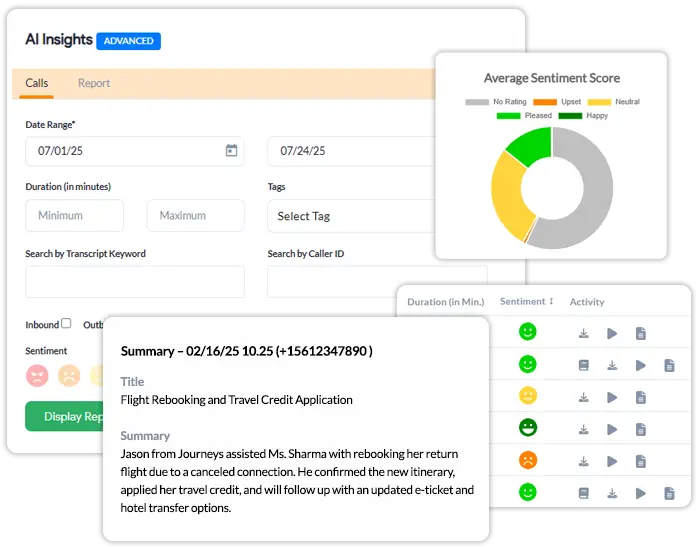
If sentiment dips or call duration spikes, you may need updated scripts, better holiday FAQs, or an improved IVR to direct callers more efficiently. Identifying repeated seasonal questions helps you prepare documentation, seasonal landing pages, and proactive messaging for this year.
GCF features that help:
AI Call Insights, call transcription, Custom Reports, keyword search
4. Routing & IVR Performance During Seasonal Peaks
Routing performance plays a major role in how well your business handles holiday traffic. While your analytics may not always show the exact routing path, final failover destination, or which backup flow was triggered, you can still use available data to understand how effectively callers reached the right teams and where your routing strategy may need adjustments.
Your holiday reporting should look at indirect indicators of routing performance, such as:
- Surges in missed or abandoned calls during certain hours
- Spikes in voicemail traffic that may signal under-resourced teams
- Higher-than-usual call duration, indicating customers aren’t reaching the right department quickly
- Sentiment drops correlated with long queues or slower connection times
- Increased after-hours or weekend calls despite published holiday hours
- IVR selections and menu usage that show where callers tried to navigate
If voicemail traffic or missed calls increase during peak windows, it may signal a routing mismatch or insufficient coverage. If callers frequently choose the same IVR option, consider simplifying your menus or directing that option to a more robust ring group during the holidays.
Use year-over-year trends to decide whether to activate backup routes earlier, extend support hours, or adjust regional routing behavior. Review this early so you can rebuild your holiday call flows before traffic rises.
GCF features that help:
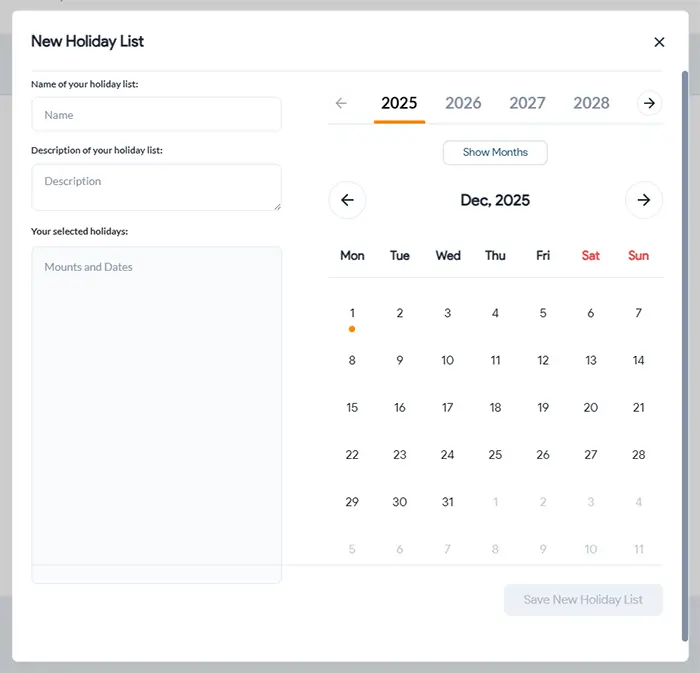
Holiday routing, time-based routing, backup call flows, IVR management
5. Seasonal Sales Performance & Campaign Attribution
Holiday calls aren’t just service-focused; they’re revenue drivers. Tracking which campaigns, regions, or phone lines influenced conversions helps you understand how holiday demand impacts your sales funnel and which marketing efforts are worth repeating.
Many holiday campaigns include special numbers, promo lines, or inbound sales routes. You can track calls and measure:
- Leads generated from campaign-specific toll-free or local lines
- Conversion trends by region or caller location
- Calls tied to CRM opportunities
- Performance of phone-enabled landing pages
- Which promos drove the most inbound calls
If a specific campaign number drove a disproportionate share of qualified leads, assign similar numbers or repeat the offer this year. If certain regions converted at higher rates, adjust your ad spend or extend local support hours for better coverage.
GCF features that help:
Phone number tags, CRM integrations, outbound caller ID, softphone, CRM integrations, campaign call tracking
6. Staffing & Team Preparedness
Holiday reporting also highlights operational health. When call volume surges, the ability of your team to keep up can determine whether customers feel supported or overlooked.
Now some staffing metrics like hours understaffed are tracked internally within workforce systems. With our call data, you can unveil clear indicators of where your support or sales teams may have been stretched thin. Focus on behavioral patterns in your call logs that reflect staffing pressure, such as
- Call spikes clustered around specific hours – Suggesting times when more agents may be needed.
- Impact of missed calls or higher unanswered call counts during certain shifts – Often an early sign of undercoverage or competing priorities for the team.
- Longer call durations during peak days – Meaning agents may have been resolving more complex holiday-related issues.
- Sentiment drops in transcripts and summaries – Indicating moments when customer frustration increased, possibly due to slower response times.
- Voicemail or after-hours call volume increasing unexpectedly – Signaling misalignment between staffing and customer demand.
- Patterns in agent performance if you use individual or department-specific numbers – Phone number tags and assigned lines help show which teams carried heavier seasonal load.
If missed or abandoned calls spike at certain hours, adjust your routing or staffing during those windows. If sentiment trends negatively during specific days or campaigns, consider additional seasonal training or updated scripts. If after-hours calls are higher than expected, revisit your holiday hours or set more granular time-based routing.
By comparing performance across previous seasons, you can see whether you need:
- More seasonal agents
- Better shift coverage
- Clearer escalation paths
- Updated call scripts or FAQs
GCF features that help:
Call summaries, sentiment analysis, scheduled call reports, number tagging, time-based routing, call outcome analysis
7. Recommendations for Next Season
Your holiday report is only valuable if it leads to action. The insights you collect should guide planning for the upcoming season, helping you build a more resilient and customer-friendly experience.
Your insights should help you determine:
- Which regions need expanded coverage
- How to optimize routing for predictable holiday peaks
- Where IVR menus should be streamlined
- Whether customer sentiment indicates friction points
- What staffing adjustments would improve outcomes
- Which promotions or campaigns should be repeated or retired
Create a “Holiday Readiness Checklist” based on your findings and begin updating routing, FAQs, IVR scripts, and staffing plans at least 4-6 weeks before peak demand begins. Refine your dashboards so next year’s reporting becomes even more precise.
Building Your Holiday Dashboard with GCF
Creating a holiday-specific reporting dashboard is one of the most effective ways to monitor real-time performance during your busiest season. While the holidays often bring unexpected spikes in customer demand, a well-structured report helps your support and sales leaders stay ahead by visualizing call trends, spotting early signs of friction, and making fast adjustments to routing or staffing.
With Global Call Forwarding, you can build practical, data-driven call reports that reflect how your business performs during peak holiday windows. You can then use this data as is or feed it into your own reporting system like Excel, Looker Studio, Power BI, etc.
Your holiday voice dashboard should include the following components:
- Inbound and outbound call volume
- Completed vs missed calls
- Regional visibility using local phone numbers and phone tags
- Hourly and daily peak charts
- Sentiment monitoring
- Voicemail and after-hours call trends
- Campaign phone line performance
- Call outcome trends (transferred, answered, voicemail, missed)
By keeping these data points visible, support and sales managers can shift staffing, adjust routing, and respond quickly when customer activity spikes.
Let Your Data Do the Heavy Lifting This Season
Holiday reporting transforms seasonal chaos into clarity. When you understand how customers behave, where call volume surges, and what your teams need to succeed, you can deliver a smoother, faster, more reliable experience—no matter how busy the season becomes.
With Global Call Forwarding’s advanced routing, AI Insights, analytics, and flexible phone system features, your business can stay ahead of demand, protect customer satisfaction, and create a holiday season that is productive—not overwhelming.
If you’d like help building your holiday dashboard or reviewing last year’s data, our team is here to assist.
Call us at +1 (561) 908-6171 or start a live chat to get holiday-ready today.
