
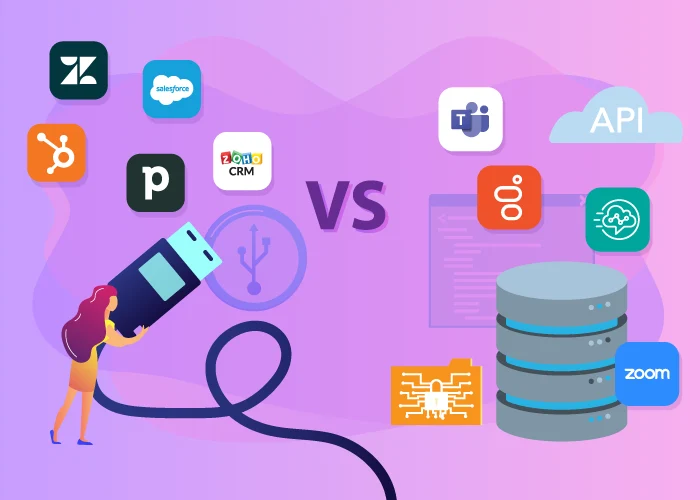
Modern business communication is no longer just about having a phone system—it’s about integrating voice into the tools your teams already use. Whether that’s your CRM, helpdesk, or contact center platform, the right integration can significantly improve how your teams sell, support, and operate globally.
But not all integrations are built the same.
The modern cloud ecosystem offers two distinct paths: Plug-and-play softphone integrations and backend SIP integrations.
Some are designed for speed and simplicity. Others are built for control and scalability. Understanding the difference between plug-and-play and backend integrations is key to choosing the right setup for your business.
- What are plug-and-play voice integrations?
- How plug-and-play integrations work and why choose them?
- When to use plug-and-play softphone integrations
- What are backend SIP integrations?
- How backend integrations work and why choose them?
- When to use SIP voice integrations
- How to choose between plug-and-play and SIP integrations?
- How Global Call Forwarding can help
What Are Plug-and-Play Voice Integrations? (Softphone Integrations)
For teams that prioritize agility and user experience, plug-and-play integrations are designed to be quick to deploy, easy to use, and accessible without technical expertise. These integrations typically appear as a softphone embedded directly within your CRM or helpdesk platform, enabling teams to make and receive calls without leaving their workflow.
In our case, this refers to ready-to-use, native softphones and connectors that link the Global Call Forwarding softphone directly to major CRMs and helpdesks. This “overlay” approach allows your team to use our purpose-built communication interface inside the tools they already use every day.
Why It Matters for Global Teams
The primary advantage is speed. Teams can get up and running in minutes or hours, not days or weeks. There’s minimal dependency on technical resources, and adoption tends to be faster because the experience is built directly into familiar tools.
These CRM integrations can be activated in minutes, bypassing the need for extensive IT tickets or developer resources. Additionally, features like automatic data sync, outbound caller ID, etc., ensure that customer data and call data align giving agents the context needed to successfully support callers.
These integrations are ideal for:
- Sales teams working inside CRMs like Salesforce or HubSpot
- Customer support teams using platforms like Zendesk or Zoho Desk
- Businesses that need to deploy quickly without relying on IT
Best For: High-velocity sales and support teams where agent productivity and immediate customer context are the primary KPIs.
How Plug-and-Play Voice Integrations Work
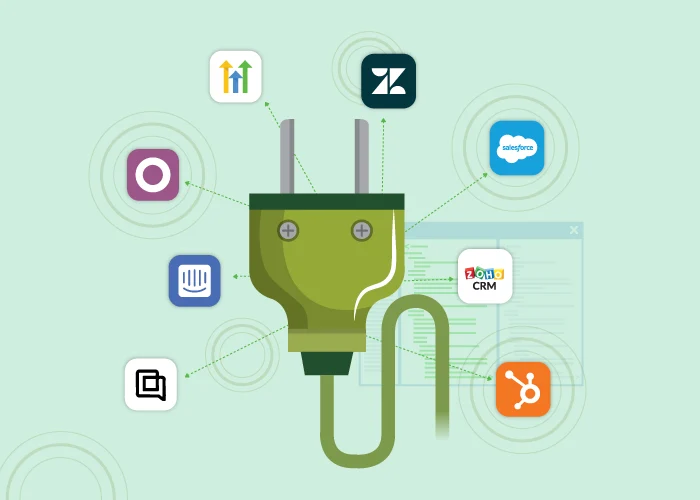
Instead of configuring infrastructure, users simply install or enable an integration within their platform. Once connected, the phone system becomes part of the interface.
In most cases, setup follows a simple flow: connect your account, assign numbers, and start calling.
What You Can Do With Plug-and-Play Integrations
With softphone integrations, teams can:
- Make and receive calls directly within their CRM or helpdesk
- Click-to-call from contact records
- Automatically log call activity and notes
- View customer details through screen pop-ups
- Tag and categorize calls for reporting
- Access AI-driven Call Insights like call transcription, summaries, and sentiment
When Should You Use Plug-and-Play Integrations?
Plug-and-play integrations are best suited for teams that prioritize speed, ease of use, and workflow efficiency.
Best-Fit Use Cases:
- Sales teams making high volumes of outbound calls
- Support teams handling inbound customer inquiries
- Businesses launching quickly in new markets
- Organizations without dedicated telecom resources
Example: A sales team using Salesforce wants to call international leads using local caller IDs while automatically logging every interaction. A softphone integration allows them to do this instantly, without leaving the CRM.
Limitations to Consider
However, this simplicity comes with trade-offs. Plug-and-play integrations are dependent on the capabilities and limitations of the platform they’re built into. This varies based on the type of platform and its functionality.
What Are Backend SIP Integrations?
When your communication strategy revolves around a centralized ecosystem like Microsoft Teams, backend SIP integrations provide the structural integrity needed for enterprise-scale voice. They operate at a deeper level—connecting your telephony provider directly to your communication infrastructure.
How Backend Integrations Work
Backend integrations involve connecting our global voice trunking directly into your existing PBX or UCaaS platform via Session Initiation Protocol (SIP). Rather than using a separate softphone, you are essentially “plugging” our global network via SIP trunks into the back of your current system.
So, instead of embedding voice into an application, backend integrations connect your carrier to your system. This involves configuring SIP endpoints, routing policies, and infrastructure-level settings, often managed by IT teams or telecom specialists.
Backend SIP integrations help keep your internal team on a single platform, such as MS Teams via Direct Routing or Genesys, while leveraging Global Call Forwarding’s superior global coverage. Many Tier-1 providers have “dead zones” in emerging markets. SIP integrations allow you to use our global network to fill coverage and compliance gaps in regions where native providers cannot offer local numbers.
Best For: IT Directors and operations leaders managing a centralized global workforce that requires a unified user experience across all departments.
Related: What is a Genesys SIP Integration?
Common Backend SIP Integration Types
Backend integrations — also referred to as SIP integrations — are commonly used with:
- Microsoft Teams Direct Routing
- Contact centers like Genesys or Amazon Connect
- Unified communications platforms like Webex or Zoom
What You Can Do With Backend Voice Integrations
The biggest advantage here is control. Businesses can design their voice architecture around their specific needs, whether that’s supporting global operations, meeting compliance requirements, or optimizing call quality and routing.
With backend integrations, businesses can:
- Route calls globally with full control
- Bring their own carrier or BYOC solutions for greater flexibility
- Build complex IVR and call flows
- Implement failover and redundancy strategies
- Manage voice centrally across multiple regions
When Should You Use Backend Integrations?
Backend integrations are ideal for businesses with more complex requirements, especially those operating across multiple regions.
Best-Fit Use Cases:
- Global contact centers managing high call volumes
- Enterprises with operations in multiple countries
- Businesses requiring advanced routing and IVR logic
- Organizations needing BYOC flexibility
Example: A global company using Microsoft Teams needs to provide local phone numbers in dozens of countries while routing calls to centralized support teams. Direct Routing with a global carrier enables this level of control and scalability.
Challenges to Consider
That said, backend integrations require more planning and technical expertise. Setup can take days or weeks depending on complexity, and ongoing management may involve in-house IT or telecom teams.
Plug-and-Play vs Backend Voice Integrations: Key Differences
So, what type of voice integration should you choose for your business communication needs? Choosing between these two approaches often comes down to how much control you need versus how quickly you need to deploy.
Let’s compare plug-and-play softphone integrations and backend SIP integrations:
| Feature | Plug-and-Play (Softphone) | Backend (SIP / Direct Routing) |
| Setup Time | Minutes to hours | Days to weeks |
| Primary Interface | CRM (Zoho, Salesforce, etc.,) or GCF Softphone | Existing UCaaS (e.g., MS Teams) |
| Complexity | Low | Medium-to-high, depending on platform |
| Technical Expertise | Low; no-code; don’t need in-house technical expertise | Moderate; need in-house technical expertise and SIP knowledge |
| Customization | Standardized features | Highly customizable |
| Integration Level | Application layer | Infrastructure layer |
| Ideal Users | High-velocity sales/support | Enterprise/centralized operations |
| Scalability | High | High |
| Global Flexibility | Carrier-driven | Carrier-driven |
How to Choose the Right Integration for Your Business
Choosing the wrong integration path can lead to technical debt or underutilized tools. To find the right fit, evaluate your current workflow against these criteria:
Key Questions to Ask:
1. Where do your employees spend 90% of their day?
If your team lives inside Salesforce, Zoho, or HubSpot, a plug-and-play softphone integration is often the superior choice. It keeps the “tools of the trade” front and center. However, if your company uses Microsoft Teams as its primary internal and external hub, a backend integration (Direct Routing) ensures no one has to switch apps to take a call.
2. How fast do you need to deploy or scale?
Global expansion often happens in phases. If you are testing a new market in LATAM or APAC and need to be operational by Monday, Plug-and-play offers the “speed-to-lead” required for rapid experimentation.
3. What is your IT overhead capacity?
Backend integrations offer more long-term structural power but require a strategic partner to manage the global SIP handoffs. If you have a lean IT team, the managed nature of a softphone integration reduces the burden of maintenance.
4. How complex are your call flows? Do you need deep customization or simple usability?
If your business requires this, backend SIP integrations are the superior choice. The primary advantage of backend integrations is the high level of control. They enable you to design your voice architecture around specific needs.
5. Are you operating in multiple countries?
How much reliable global coverage you need determines which carrier or provider you choose and how they integrate with your preferred business applications.
Why Global Coverage Matters—In Both Models
Regardless of the integration type, one factor remains critical: global reach.
Many platforms have limitations when it comes to international number availability, regulatory requirements, and local caller ID support. This is especially true in regions with strict telecom regulations or limited infrastructure.
BYOC phone solutions through a global telephony provider help bridge these gaps by:
- Providing access to local and toll-free numbers worldwide
- Navigating regulatory and documentation requirements
- Ensuring reliable call quality across regions
- Enabling local caller ID for higher answer rates
How Global Call Forwarding Supports Both Integration Types
At Global Call Forwarding, we don’t believe in a “one size fits all” approach. So, we support both plug-and-play and backend voice integrations—giving businesses the flexibility to choose what works best.
For Plug-and-Play Integrations: We offer CRM and helpdesk softphone integrations that allow teams to quickly embed voice into their workflows with minimal setup. We are compatible with Zoho CRM, Salesforce, Zendesk, HubSpot, Pipedrive, Intercom, and more.
For Backend Integrations: We provide SIP connectivity and BYOC support for platforms like Microsoft Teams, Genesys, Webex, and Zoom—enabling global voice infrastructure with full control.
Whether you choose the agility of a softphone integration or the robust nature of a SIP-based backend connection, the foundation remains the same: Global reach.
We specialize in navigating the complex regulatory landscapes of 160+ countries. By choosing Global Call Forwarding as your integration partner, you gain:
- Regional Insights and Compliance Expertise: Expert guidance on compliance in challenging markets (MEA, APAC, LATAM).
- Global Reliability: Redundant routing that ensures your integrations stay online, regardless of the “pipes” they run through.
- Consultative Support: Our engineers work alongside your IT team to ensure your SIP headers and routing logic are optimized for global clarity.
- Advanced Call Management Features: Call routing, IVR builder, outbound calling, local caller ID, call recording, AI Call Insights, and more
- Global Network: Access to a global voice network with Tier-1 carriers for reliable routing and international calling.
Want to learn more? Explore our integrations to see our supported CRMs or consult with a global voice expert to discuss how we can power your MS Teams or Genesys environment. We’re here to help!
